Windows 11 isn’t just about sleek animations and improved security—it’s a surprisingly capable platform for strategy games. And contrary to what storefronts like Steam or the Microsoft Store might suggest, you don’t need to spend money to dive into empire-building, tactical warfare, or resource management. The real challenge? Finding free strategy games that actually run well on Windows 11, offer depth, and don’t bury you in ads or pay-to-win mechanics.
This isn’t about pirated software or shady EXE downloads. It’s about legitimate, polished, and actively maintained strategy games that run natively—or nearly so—on modern Windows 11 systems. Whether you’re on a laptop with integrated graphics or a high-end desktop, you can play thoughtful, strategic games without touching your wallet.
Let’s cut through the noise and focus on what really matters: gameplay, performance, and accessibility.
---
Why Strategy Games Work Well on Windows 11
Windows 11 brought under-the-hood improvements that benefit gaming, especially strategy titles. DirectX 12 Ultimate support, better memory management, and optimized background processes mean smoother multitasking during long campaigns. Plus, Auto HDR and enhanced audio engines subtly elevate immersion—especially in games where atmosphere matters.
More importantly, Windows 11 supports modern compatibility layers. Even older or open-source strategy games often run flawlessly via compatibility mode or lightweight Wine alternatives like Proton (via Steam, where applicable). The OS also handles windowed gameplay better, which matters when you’re juggling research trees while browsing a wiki.
And let’s not forget the Microsoft Store’s quiet evolution. It now hosts several free, high-quality indie and open-source titles that install seamlessly and update automatically—no manual patching needed.
---
What to Look for in a Free Windows 11 Strategy Game
Not all free strategy games are created equal. Here’s what separates the keepers from the bloatware:
- No Mandatory Sign-Ups or Paywalls: If a game locks core mechanics behind a subscription or forces you to watch ads every five minutes, it’s not truly free.
- Offline Playability: Strategy games thrive on long sessions. You shouldn’t need a constant internet connection.
- Active Development or Community Support: A game with regular patches or a vibrant modding scene will age better.
- Low System Requirements: Many great strategy games are 2D or isometric—they don’t need RTX cards to shine.
- Clean Install Process: Avoid anything bundled with toolbars, cryptominers, or fake installers.
Stick to platforms like Steam, itch.io, GitHub (for open-source), or the Microsoft Store to reduce risk.
---
Top 7 Free Strategy Games for PC on Windows 11
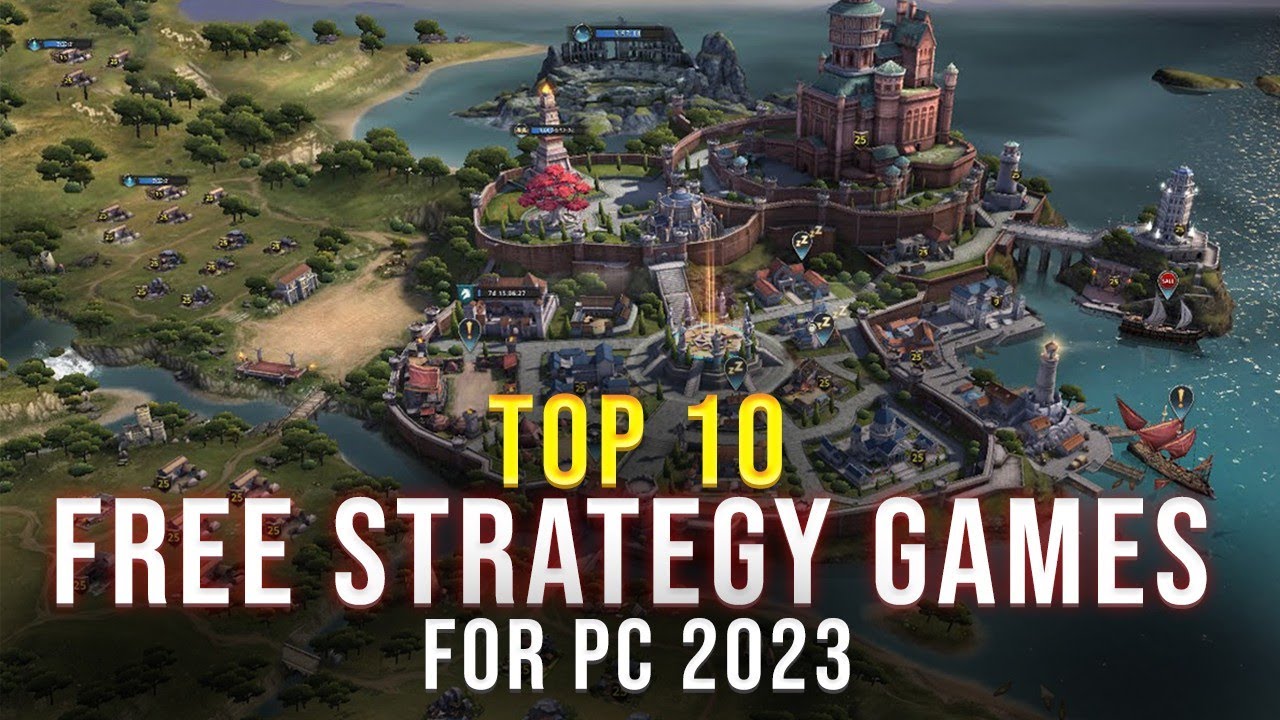
These titles are tested, safe, and genuinely strategic. All run on Windows 11 without compatibility layers in most cases.
| Game | Type | Key Feature | Platform |
|---|---|---|---|
| 0 A.D. | RTS | Historical warfare with stunning visuals | Steam, Official Site |
| FreeCiv | Turn-Based | Open-source Civilization clone | Official Site, GitHub |
| WarMUX | Tactical | Worms-style but with deep strategy | itch.io |
| The Battle for Wesnoth | Turn-Based | Fantasy, story-driven campaigns | Steam, Official Site |
| OpenRA | RTS | Revival of Command & Conquer classics | Steam, Official Site |
| C-evo | 4X | Deep AI, complex tech tree | Official Site |
| Liberation | Turn-Based | Modern geopolitical simulation | itch.io |
0 A.D. – The Best Free
RTS on Windows 11
0 A.D. isn’t just "free." It’s a fully-featured real-time strategy game with polished animations, realistic unit behaviors, and historical accuracy spanning from the Roman Empire to ancient Persia.
- Why it works on Windows 11: Native 64-bit support, DirectX 11 compatibility, and excellent performance even on low-end hardware.
- Gameplay depth: You manage economy, diplomacy, and military units with granular control.
- Mod support: Steam Workshop integration allows custom maps and civilizations.
Download via Steam for auto-updates or from Wildfire Games for the standalone version.
FreeCiv – Civilization Without the
Price Tag
If you’ve ever wanted to play Civilization but balked at the $60 price, FreeCiv is your answer. This open-source project mimics the turn-based 4X experience: explore, expand, exploit, exterminate.
- Multiplayer-ready: Host games over LAN or online.
- Custom rulesets: Modify victory conditions, tech trees, or unit stats.
- Lightweight: Runs on almost any Windows 11 machine.
The interface feels dated, but that’s because it’s been stable since the early 2000s. It’s not ugly—it’s efficient.
The Battle for Wesnoth – Story Meets
Strategy
Wesnoth blends tactical grid-based combat with a rich narrative. Each campaign feels like a fantasy novel, with branching choices and memorable characters.
- Turn-based mechanics: Positioning, terrain bonuses, and unit counters matter.
- No IAPs, no ads: Fully open-source and donation-funded.
- Mod-friendly: Thousands of user-made campaigns.
It installs cleanly via Steam or the official site. Runs perfectly on Windows 11 in windowed or full-screen mode.
OpenRA – Command & Conquer Reborn
OpenRA isn’t just an emulator—it’s a complete re-imagining of Red Alert, Tiberian Dawn, and Dune 2000 with modern controls, online play, and balance tweaks.
- RTS done right: Base building, resource gathering, and fast-paced combat.
- Cross-platform multiplayer: Play against Linux and macOS users.
- Active community: Regular tournaments and ranked matches.
Install through Steam for easiest setup. The game auto-updates and integrates with Windows 11 notifications.
---
How to Install Free Strategy Games Safely on Windows 11
Windows 11’s Smart App Control (SAC) can block unsigned installers—great for security, annoying for indie games. Here’s how to handle it:

- Download from trusted sources: Use Steam, itch.io, or official project websites.
- Check file hashes (optional): Compare SHA-256 hashes on GitHub or forums.
- Disable Smart App Control temporarily:
- - Go to Settings > Privacy & Security > App Installer
- - Turn off “Smart App Control”
- - Install the game
- - Re-enable it afterward
- Run as administrator: Some older games need elevated privileges to write config files.
- Use compatibility mode: Right-click .exe > Properties > Compatibility > Run in Windows 8 mode if needed.
Never disable antivirus or install games from Telegram links or “cracked” forums. The risk outweighs the reward.
---
Common Mistakes When Choosing Free Strategy Games
Even experienced players fall into traps. Here’s what to avoid:
- Assuming “free” means low quality: Titles like 0 A.D. and Wesnoth rival commercial games in depth.
- Ignoring system requirements: Some “light” games still need OpenGL 3.0+—verify via GPU-Z.
- Downloading .zip files with .exe installers from random sites: If it’s not on Steam, GitHub, or itch.io, be skeptical.
- Overlooking mod support: A vibrant modding scene extends a game’s lifespan.
- Skipping patches: Open-source games update frequently. Use Steam or Git to stay current.
One user reported spending hours on a fake StarCraft clone that was just a browser wrapper. Stick to known platforms.
---
Strategy Game Workflows That Work on Windows 11
Build a smart gameplay routine:
- Use Snap Layouts: Drag the game to one side, wiki or map guide to the other.
- Enable Game Mode: Settings > Gaming > Game Mode for better resource allocation.
- Set up cloud saves: Use Steam Cloud or manual Dropbox sync for save files.
- Limit background apps: Disable Discord overlay or GeForce Experience if performance dips.
- Map keys early: Many free games don’t auto-optimize for keyboard layout.
For turn-based games, play in short bursts. For RTS, schedule 1–2 hour blocks to avoid mid-battle interruptions.
---
Final Verdict: You Don’t Need to Pay for Strategy Games
The idea that quality strategy gaming requires spending money is outdated. Between open-source projects, community revivals, and indie passion titles, you can build a rich, diverse strategy library on Windows 11 for free.
Focus on proven platforms, avoid shady download portals, and prioritize games with active communities. The titles listed here aren’t just playable—they’re compelling, deep, and worthy of your time.
Start with 0 A.D. for real-time depth or The Battle for Wesnoth for turn-based storytelling. Install via Steam for simplicity, or go direct for extra features. Either way, you’re just one download away from your next strategic obsession.
---
FAQ
Are these free strategy games safe for Windows 11? Yes, if downloaded from official sources like Steam, itch.io, or project websites. Avoid third-party aggregators.
Do they work offline? Most do. 0 A.D., FreeCiv, and Wesnoth all support full offline play.
Can I play them on a laptop? Absolutely. These games have low-to-moderate system requirements and run well on integrated graphics.
Are there multiplayer options? Yes. OpenRA, FreeCiv, and 0 A.D. all support online multiplayer via built-in servers or Steam.
Do I need to create an account? Not for most. OpenRA and Steam versions require Steam login, but standalone versions don’t.
Will they get updates? Yes—especially OpenRA, 0 A.D., and Wesnoth, which have active development teams.
Can I mod these games? All of them support modding to some degree, with extensive community content available.